Process automation: how to map, prioritize and automate without breaking operations
From mapping to monitoring: the method for choosing what to automate first, which tool to use and how to measure the return.
Process automation means having systems run the repetitive steps of a workflow without human intervention: copying data between systems, approving, notifying, generating documents, reconciling. The gain doesn't come from the tool you pick, but from automating the right process, the right way, with someone watching when something fails.
Executive summary
- Automate a stable process; an automated mess just fails faster.
- Prioritize by volume × time × cost of error, not by what looks modern.
- API integration always beats a bot clicking on the screen.
- Every automation needs an owner, failure alerts and logs.
1. What process automation is (and isn't)
Process automation ranges from a simple rule (when a form arrives, create the customer in the CRM and notify on WhatsApp) to multi-step flows with approvals across different systems. It doesn't replace redesigning the process: if nobody knows exactly who approves what today, automation will lock that confusion in.
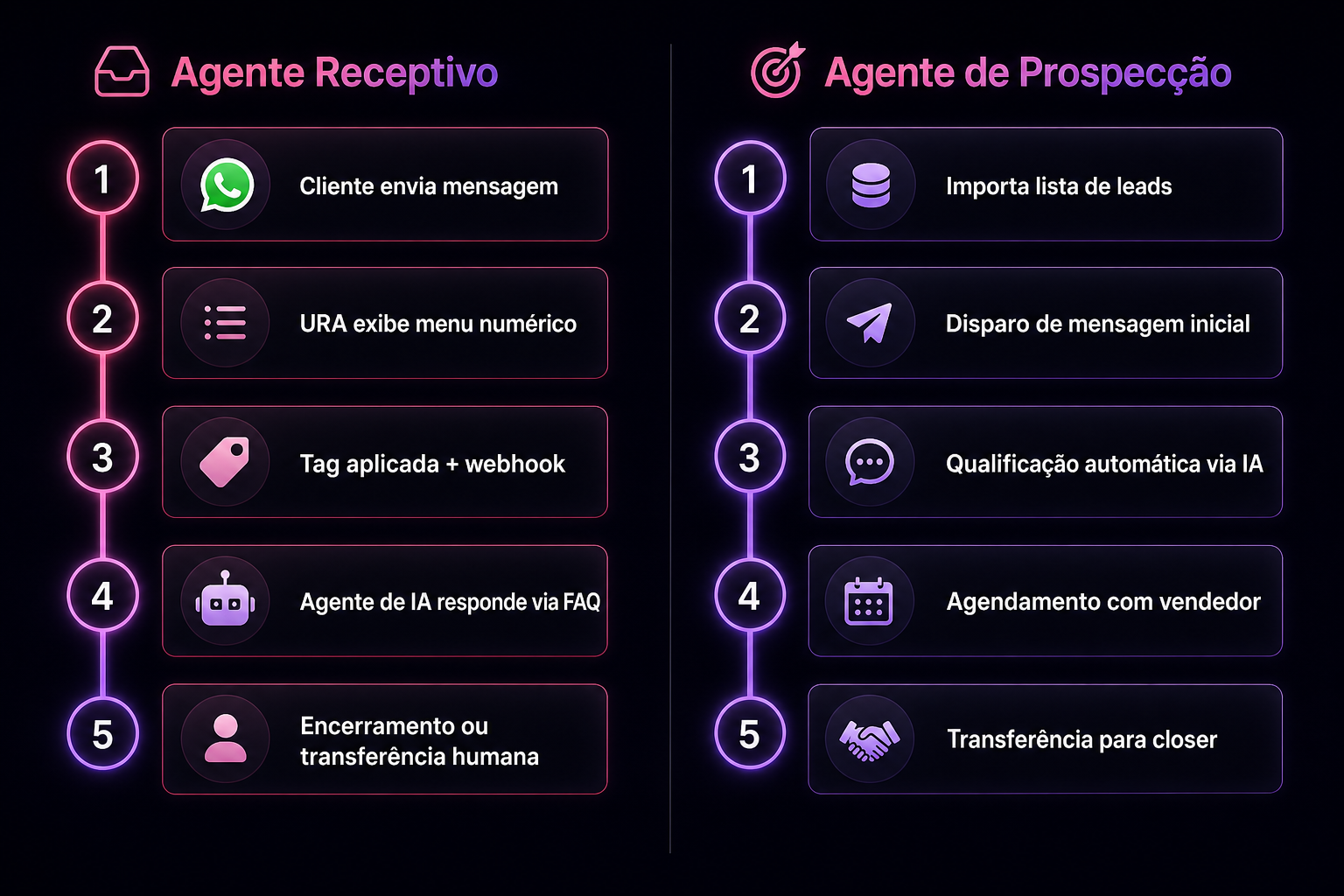
In practice there are three layers: integrations between systems (APIs, webhooks), workflow orchestration (tools like n8n) and decisions that used to require a human to read, which is where AI comes in.
2. Map the process before choosing the tool
Draw the current flow with the people who run it every day, not with whoever thinks they know how it works. For each step, note who does it, in which system, how long it takes, how often per week and what happens when it goes wrong.
- Trigger: what starts the process (email, form, order, spreadsheet).
- Steps: each action, system involved and owner.
- Exceptions: cases outside the rule and who handles them.
- Output: the expected result and where it needs to show up.
3. Prioritize by return, not excitement
A simple calculation settles most debates: monthly hours spent on the task × hourly cost, plus the cost of the errors it causes today. Compare that with the effort to build and maintain the automation.
Start with a high-volume, clear-rule, low-risk process. It pays back quickly and builds confidence to tackle the critical flows.
priority = (monthly_volume * minutes_per_run / 60 * hourly_cost)
         + (monthly_errors * avg_error_cost)

# goes into the backlog only if:
# priority / estimated_effort > 1 within the first 6 months
4. Pick the right approach: API, n8n, RPA or code
When systems have APIs, integrate through them: it's faster, more stable and auditable. Orchestration tools like n8n speed up flows with many integrations and let the team follow every run.
RPA, the bot that clicks on the screen, is the last resort for legacy systems without APIs: it works, but breaks when the screen changes. Flows with complex business rules, high volume or performance requirements usually call for custom code.
- APIs and webhooks: first choice whenever available.
- n8n: orchestration with many integrations and run visibility.
- RPA: legacy systems without APIs, with extra monitoring.
- Custom code: complex rules, scale or security requirements.
5. Where AI fits
AI is useful in steps that used to depend on someone reading and interpreting: classifying emails and tickets, extracting data from documents, summarizing conversations, answering common questions. The rest of the flow stays deterministic.
Treat AI output as a validated suggestion: check the format, set a confidence threshold and send anything below it to human review.
6. Go to production with monitoring
An automation without an owner becomes a silent problem. Define who gets the alert when a run fails, keep a log of every run and have a documented manual path for when the flow is down.
Measure before and after: cycle time, errors and hours saved. Those numbers justify the next automation.
- Failure alerts in the channel the team already uses.
- Safe reprocessing (no duplicate orders or payments).
- A simple dashboard with runs, failures and time saved.
Frequently asked questions
+How long does it take to automate a process?
It depends on the number of systems and exceptions. A simple flow between two systems with APIs usually takes days; multi-step processes with approvals and legacy systems take weeks.
+Do I need to replace my systems to automate?
In most cases, no. Automation connects the systems you already use, through APIs when they exist and RPA when they don't.
+n8n or custom code?
n8n is great for orchestrating integrations quickly and with visibility. Custom code makes more sense when business rules are complex, volume is high or there are specific security requirements.
+Which process should I automate first?
The one with the highest volume, clear rules and low risk if it fails. It pays back fast and teaches the team to run automations.
Want to discuss this architecture for your product? Get 30 minutes with our technical team, free of charge.
Talk to an engineerRelated solutions